
You are comparing CTR.bot and CTRTool because visit behavior is where most CTR campaigns quietly fall apart. If you cannot control device, keywords, location, and click paths, you are sending traffic that looks nothing like a real searcher.
This article breaks down how each tool handles customizable user behavior, from device targeting and keyword selection to screenshot proof and campaign coverage across Google, Bing, Maps, and AI Overviews. You will get a clear verdict with specifics, not a vague it depends.
Quick Verdict: CTR.bot vs CTRTool on Customizable User Behavior
CTRTool wins on verifiable, customizable visit behavior because every campaign visit includes screenshot proof and full visit paths, while CTR.bot's customization depth is less transparently documented. For teams that treat CTR manipulation as a measurable SEO activity, that difference in evidence matters more than any feature checklist.
Customizable user behavior means control over how a visit looks and where it goes. Device type, keyword targeting, location, and the path a visitor takes through a site all shape whether a session reads as genuine organic traffic. CTRTool builds those controls into each campaign and then documents what actually happened.
- Device and proof per campaign: CTRTool lets you run Desktop or Mobile CTR per campaign, with search and landing screenshots delivered as separate proof images.
- Broader search surface coverage: campaigns can target Google Search, Bing Search, Maps, and AI Overviews, not just classic blue links.
- Visit depth: visits can run up to 5 minutes with up to 5 additional internal pages, so session duration and scroll depth can reflect a real reading session.
- CTR.bot: positioned as a general traffic automation tool, but its public documentation on customization options and visit proof is limited, so buyers should verify specifics directly.
The practical takeaway is about accountability. CTRTool's pay-for-results credit model means no credits are charged for technical failures before landing, and visits that cannot verify the requested location use no credits either. That structure aligns customization with outcomes rather than promises.
Choose CTRTool if you need auditable, configurable visit behavior with screenshot evidence behind every campaign. Consider CTR.bot if your needs are broader traffic automation and you are comfortable confirming customization and reporting details on your own. The sections below break down exactly where each tool stands.
At a glance: how CTRTool compares to CTR.bot on the features that matter most.
| Feature | CTRTool | CTR.bot |
|---|---|---|
| Pricing | $59-$699/mo | — |
| Free plan / trial | ✗ | — |
| Supported platforms | Google, Bing, Maps, AI | — |
| Screenshot proof per visit | ✓ | — |
| Keyword position tracking | ✓ | — |
| Location targeting | Country/state/city | — |
| Pay-per-result credits | ✓ | — |
| Integrations / API | — | — |
What Is CTRTool?
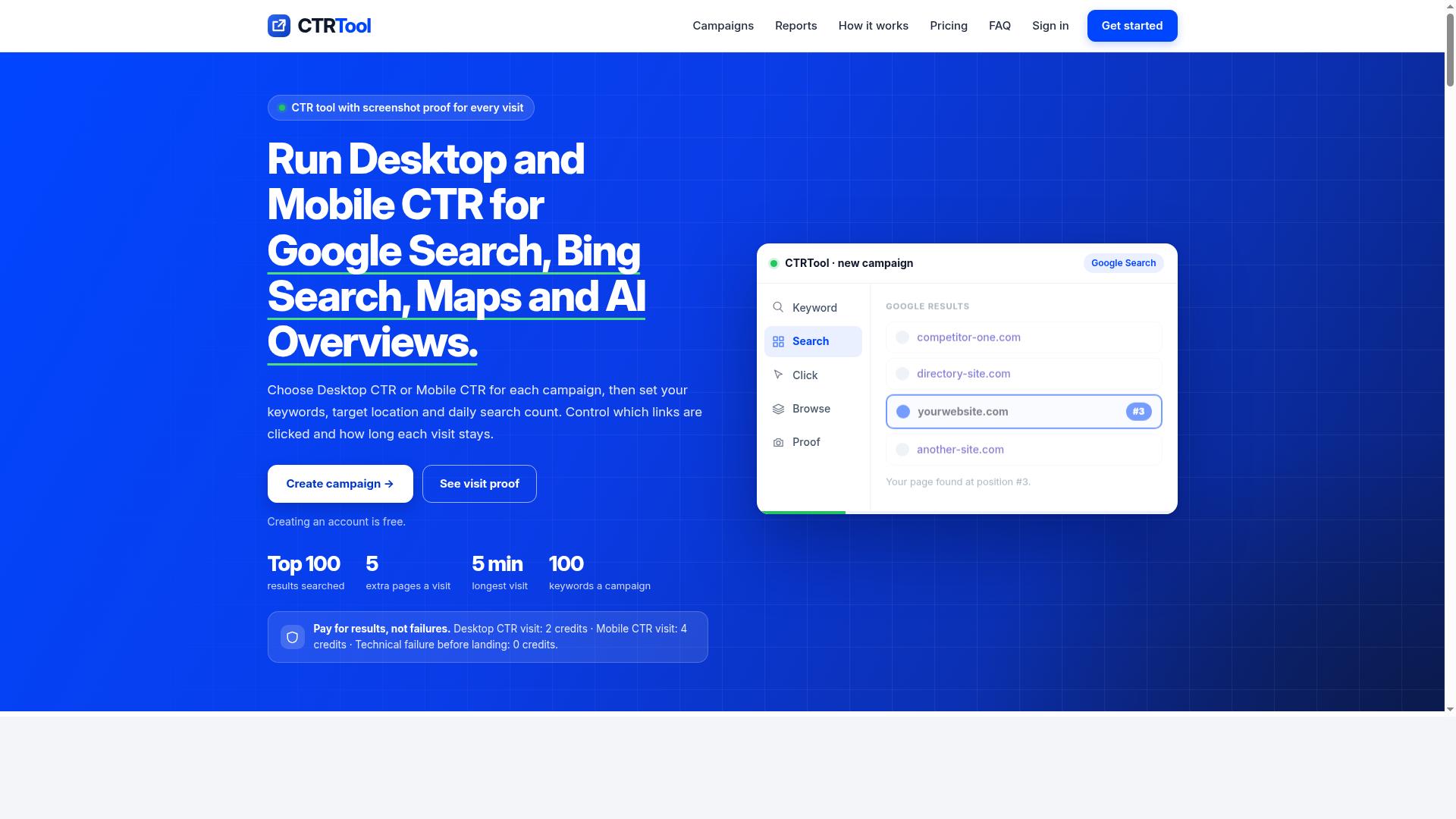
CTRTool is a CTR campaign tool that runs Desktop and Mobile CTR campaigns for Google Search, Bing Search, Maps and AI Overviews, with screenshot proof for every visit. It is built for SEO practitioners and agencies running campaigns for their own sites or for client properties.
The workflow is deliberately simple. Users pick Desktop CTR or Mobile CTR per campaign, set the keywords they want to target, and choose a location at country, state, or city level. From there they set a daily search count and control which links are clicked and how long each visit stays.
One requirement shapes how campaigns are planned. A campaign needs the target page to appear within the top 100 organic results for the chosen keyword and location. That condition keeps targeting tied to pages that already have some visibility, rather than pages the search engine has not indexed for that query.
Note the official spelling, CTRTool, with the logo styled as "CTR" stacked over "Tool". This section covers what the product is. Feature depth and pricing are handled later in the comparison.
What Is CTR.bot?
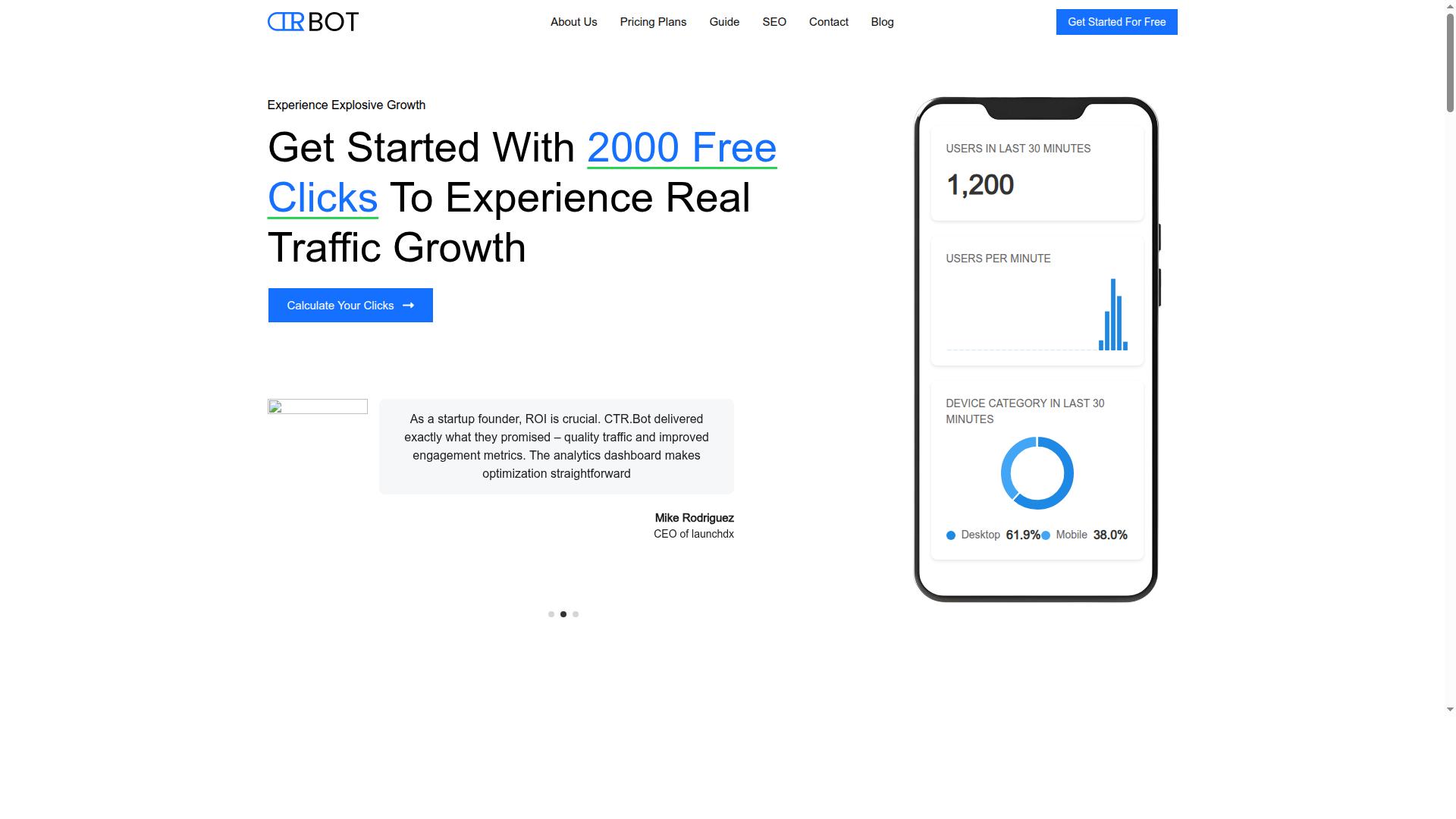
CTR.bot is a traffic automation tool marketed for generating clicks and simulated user behavior, but its public documentation on customization and verification is limited compared with dedicated CTR campaign platforms. According to its public materials, it belongs to the broader category of traffic bot and automation software, a segment built to send visits to pages rather than to run structured click-through rate campaigns.
As commonly described, tools in this category focus on producing activity: clicks, page visits, and basic on-page signals. The appeal is straightforward. A buyer can point the software at a target page and generate traffic without recruiting real visitors, and the setup usually takes minutes rather than days.
That simplicity shapes the kinds of use cases buyers typically consider it for:
- Quick volume tests to see how a page responds to incoming visits
- General traffic generation where the goal is activity rather than precision
- Low-effort experiments before committing to a more structured approach
The trade-off is depth. Traffic automation of this kind tends to emphasize sending clicks over controlling how those clicks behave, so customizable user behavior options such as dwell time, scroll depth, and click patterns are usually described in general terms at best. Buyers weighing it against a dedicated CTR campaign platform should look closely at what can actually be configured and what evidence backs the results.
For a side-by-side on customization and proof, see the Features Compared section below.
Features Compared
This section compares CTRTool and CTR.bot across the three dimensions that matter most for customizable user behavior: visit customization, proof and visit paths, and campaign coverage. Each dimension is judged on the same criteria: how many levers a buyer can actually configure, how transparently the tool documents those levers, and how much of the resulting activity can be verified after the fact.
One note on sourcing. CTRTool claims here are grounded in its published product details, including campaign setup options and reporting features. CTR.bot claims are described generally and hedged, because public documentation on its specifics is limited. Where a competitor detail is unclear, we say so rather than guess.
Read the three sub-sections as a progression. First comes what you can control before a campaign runs. Then comes what you can prove once it has run. Finally comes where the tool can operate at all.
Customizable Visit Behavior: Device, Keywords, Location and Click Paths
CTRTool lets users choose Desktop CTR or Mobile CTR per campaign, set keywords, target a country with optional state and city, and define internal page paths for each visit. These are setup fields, not vague promises, which makes them easy to plan around.
Keyword targeting has a clear operational rule: the page must appear within the top 100 organic results for the chosen keyword and location. Location targeting covers country plus optional state and city, or "Any country" to mix supported locations. Click paths can include internal pages, with up to five additional pages per visit and visits lasting up to five minutes in total.
CTR.bot's customization is harder to pin down. Traffic automation tools in this category often advertise proxy rotation, user agent rotation, dwell time and scroll depth controls, but public material does not confirm which of these CTR.bot offers, or at what limits. Treat those as category norms, not verified CTR.bot features.
| Criteria | CTRTool | CTR.bot |
|---|---|---|
| Device choice | Desktop or Mobile per campaign | Not publicly specified |
| Keyword targeting | Keywords per campaign, page must rank in top 100 for keyword and location | Generally described, limits unclear |
| Location targeting | Country, optional state and city, or Any country | Generally described, granularity unclear |
| Click path control | Internal page URLs, click order, up to five additional pages per visit | Not publicly specified |
| Customization transparency | Documented setup fields with stated rules | Limited public detail |
On documented control, CTRTool gives buyers more concrete levers to configure and verify before spending anything.
Screenshot Proof and Full Visit Paths for Every Campaign
CTRTool provides screenshot proof for every visit, with search and landing screenshots delivered as separate proof images, plus full visit paths and keyword position tracking over time. That combination turns a campaign from a claim into a record.
The position tracking is the part agencies tend to value most. CTRTool reports keyword positions over time, including Maps listing order and AI citation order. You can see not just that a visit happened, but where the listing or citation sat when it did.
For client-facing SEO work, this matters practically. Screenshots support reporting, full visit paths support auditability, and position history helps confirm a campaign actually executed as configured. The pay-for-results credit model reinforces this: no credits are charged for technical failures before landing, and visits that cannot verify the requested location use no credits.
Public documentation on CTR.bot's per-visit proof is limited. We cannot say whether it offers verification features or not, only that the detail available is thin compared with CTRTool's published reporting.
| What you can verify with CTRTool | What is publicly documented for CTR.bot |
|---|---|
| Search screenshot and landing screenshot as separate proof images for every visit | Per-visit proof not publicly specified |
| Full visit paths, including internal pages | Visit path reporting not publicly specified |
| Keyword positions over time, including Maps listing order and AI citation order | Position tracking detail unclear |
Proof is what separates a reportable campaign from an unverifiable one, and that is the gap CTRTool closes for client-facing work.
Campaign Coverage: Google, Bing, Maps and AI Overviews
CTRTool runs campaigns across Google Search, Bing Search, Google Maps and AI Overviews, while CTR.bot's publicly described coverage is narrower and less specific. Each CTRTool campaign type carries its own operational rules, which helps set expectations before launch.
- Google Search CTR: search the keyword, click the organic result, Desktop or Mobile, top 100 results, internal pages supported.
- Bing Search CTR: the same flow applied to Bing.
- Google Maps CTR: find the business listing and click its website link, checking up to 50 listings, about five pages, with city targeting.
- AI Overview CTR: find the website in the overview and click its source link, which requires a matching citation.
One credit balance is shared across all campaign types, websites and keywords, with support for up to 100 campaigns at 100 keywords each. That structure makes multi-platform work simpler to budget.
| Platform | CTRTool | CTR.bot |
|---|---|---|
| Google Search | Documented campaign type | Not publicly specified |
| Bing Search | Documented campaign type | Not publicly specified |
| Google Maps | Documented campaign type, up to 50 listings | Not publicly specified |
| AI Overviews | Documented campaign type, requires matching citation | Not publicly specified |
For multi-platform campaigns, CTRTool's documented coverage gives planners a clearer map of where they can operate and what each campaign requires.
Pricing Compared
Pricing is where the two tools diverge most clearly: CTRTool publishes monthly USD plans built on credits, while CTR.bot's public pricing details are not specified here. That distinction matters for anyone comparing customizable user behavior platforms, because budget certainty shapes how freely you can test campaigns.
CTRTool lists its plan tiers openly on its site, including credit allowances and what those credits buy in Desktop and Mobile CTR visits. CTR.bot may well have its own structure, but readers should verify current pricing directly with CTR.bot before committing to either option.
The sub-section below breaks down CTRTool's credit model in detail, including how Desktop and Mobile visits consume credits differently. Use it to estimate a realistic monthly budget for your campaign type and volume.
CTRTool's Pay-for-Results Credit Model
CTRTool prices campaigns in monthly USD plans with credits: Starter is $59/month for 2,000 credits (up to 1,000 Desktop CTR visits or 500 Mobile CTR visits), and Growth is $125/month for 5,000 credits (up to 2,500 Desktop or 1,250 Mobile CTR visits). Growth is marked Recommended on the site.
Two larger tiers extend the same structure. Scale runs $399/month for 20,000 credits (up to 10,000 Desktop or 5,000 Mobile visits), and Agency runs $699/month for 40,000 credits (up to 20,000 Desktop or 10,000 Mobile visits).
| Plan | Price (USD/month) | Credits | Up to Desktop Visits | Up to Mobile Visits |
|---|---|---|---|---|
| Starter | $59 | 2,000 | 1,000 | 500 |
| Growth (Recommended) | $125 | 5,000 | 2,500 | 1,250 |
| Scale | $399 | 20,000 | 10,000 | 5,000 |
| Agency | $699 | 40,000 | 20,000 | 10,000 |
The credit math is straightforward. A Desktop CTR visit costs 2 credits, a Mobile CTR visit costs 4 credits, so Desktop visits consume fewer credits per visit. A verified search without a match costs 1 credit, and a technical failure before landing costs nothing, which protects your balance from wasted spend.
To estimate your monthly need, multiply your target visit volume by the per-visit credit cost for your device mix. A campaign weighted toward Mobile will draw down credits roughly twice as fast as the same volume on Desktop.
Two further details help with planning. Unused credits roll over while your subscription is active and expire when cancellation takes effect, and creating an account is free. Note that prices rise 30% on November 15 under the limited launch pricing shown on the site.
CTR.bot's pricing is not specified in this article and should be confirmed directly with the vendor. On the CTRTool side, the takeaway is predictability: published tiers, defined credit costs, and rollover rules make monthly spend easy to forecast before a campaign begins.
Who Should Choose CTRTool
CTRTool fits SEO practitioners and agencies who need documented, auditable CTR campaigns across Google Search, Bing Search, Maps and AI Overviews and must show clients proof of every visit. The decision usually comes down to how much accountability a campaign requires, not just how many knobs the software exposes.
Below are the buyer profiles where CTRTool is the more natural fit, each tied to a specific capability rather than a general claim.
- Agencies running campaigns for client sites. When the deliverable is a report a client will scrutinize, screenshot proof and full visit paths matter more than raw volume. CTRTool's documentation of each visit supports that reporting workflow directly.
- Teams targeting multiple surfaces. Campaigns that span Google Search, Bing Search, Google Maps and AI Overviews need one tool that covers all four. Splitting surfaces across separate tools adds overhead and makes reporting harder to consolidate.
- Practitioners who need per-campaign device and location control. Choosing Desktop or Mobile CTR per campaign, plus country, state and city targeting, lets you match user behavior simulation to each keyword's real audience instead of running one generic profile everywhere.
- Buyers who want transparent published USD pricing. Published USD pricing makes budgeting and client billing straightforward. It removes the guesswork that comes with quote-based or opaque pricing models.
- Teams using tier links, PBNs and test properties. CTRTool's guidance explicitly addresses these setups, so practitioners already working with tiered link structures or test properties fit the intended use case.
Across these profiles, the common thread is evidence and control. If a campaign's value depends on proving what happened and shaping how each visit looks, CTRTool's design aligns with that need. If you only want unverified volume with no reporting trail, the fit is weaker.
Choose CTRTool if:
- You must show clients screenshot proof and full visit paths for every campaign
- You run campaigns across Google Search, Bing Search, Google Maps and AI Overviews
- You need Desktop vs Mobile CTR choice per campaign, with country, state and city targeting
- You prefer published USD pricing over negotiated quotes
- You work with tier links, PBNs or test properties and want a tool built around that guidance
Who Should Choose CTR.bot
CTR.bot may suit buyers who are already familiar with its workflow or who prioritize a general traffic automation tool over a proof-centric CTR campaign platform, though its public documentation should be reviewed first. The right fit depends less on marketing claims and more on what you can confirm directly with the vendor.
Because CTR.bot's public materials do not spell out the full depth of its customizable user behavior controls, treat any shortlist decision as provisional until you have verified specifics yourself. Ask for documentation on how it handles user behavior simulation, session duration, and reporting before you commit.
Consider CTR.bot if:
- You have prior hands-on experience with the tool and already understand its workflow and interface.
- You have confirmed directly with the vendor that its customization depth, such as click patterns or proxy rotation options, meets your campaign needs.
- Its pricing structure fits your budget after you have received a quote or plan breakdown from the vendor.
- You are comfortable running your own due diligence on proof, reporting transparency, and how results are measured.
These conditions matter because a traffic bot purchase is only as good as the verification behind it. If any of the four points above is unclear, that is a signal to pause rather than assume.
Compared with a platform built around documented proof and defined coverage, CTR.bot asks more of the buyer upfront. That is not necessarily a flaw, but it shifts the burden of validation onto you. Buyers who want less guesswork often weigh that trade-off carefully.
Before committing, request a demo or written documentation from CTR.bot. Confirm how its traffic automation settings are configured, what reporting you will receive, and how pricing maps to usage. A short verification step now can prevent a costly mismatch later.
Final Verdict
For teams that need customizable, verifiable CTR campaigns, CTRTool is the stronger choice because it combines Desktop or Mobile CTR per campaign, screenshot proof for every visit, full visit paths, and coverage of Google Search, Bing Search, Maps and AI Overviews. Every one of those elements serves the same goal: making customizable user behavior something you can inspect rather than assume. In a category where traffic automation often runs on trust, proof is the real differentiator.
That matters because CTR manipulation only produces useful insight when you can see what actually happened. Screenshot proof for every visit and full visit paths let you confirm that a session behaved as configured, from entry through navigation. Keyword position tracking extends the same visibility to outcomes, including Maps listing order and AI citation order, so ranking improvement can be checked against a record instead of a hunch.
CTR.bot remains an option for buyers who have independently verified its customization, proof, and pricing. That is a fair standard for any SEO tool comparison. If you cannot confirm how a platform documents visits, tracks positions, or bills for credits, the customization on paper is hard to rely on in practice.
CTRTool keeps its commercial side visible too. Plans are published in USD credit terms, so you can review cost before committing to a campaign rather than estimating it after the fact. For a traffic bot used across Search, Maps and AI surfaces, that transparency is part of the product, not a footnote.
Bottom line: CTRTool is the clearer pick when proof, full visit paths, and position tracking across Google Search, Bing Search, Maps and AI Overviews are non-negotiable. To move forward, review the plans and start a campaign at https://ctrtool.com, and send any questions to vaibhav@autoblogging.ai.
Frequently Asked Questions
What is the main difference between CTRTool and CTR.bot?
CTRTool is a CTR campaign platform for Google Search, Bing Search, Google Maps and AI Overviews that provides screenshot proof for every visit, full visit paths, and keyword position tracking over time. The available sources don't describe CTR.bot's own feature set in detail, so a feature-by-feature comparison isn't possible from verified information. What we can say is that CTRTool is built around verifiable results, with search and landing screenshots as separate proof images for each visit.
How does pricing compare between CTRTool and CTR.bot?
CTRTool publishes clear monthly USD plans: Starter at $59/month for 2,000 credits (up to 1,000 Desktop CTR visits or 500 Mobile CTR visits) and Growth at $125/month for 5,000 credits (up to 2,500 Desktop or 1,250 Mobile visits). Pricing for CTR.bot is not stated in the sources we reviewed, so we can't make a direct price comparison. We'd recommend checking CTR.bot's site directly for its current pricing before deciding.
Can I run both Desktop and Mobile campaigns, and target specific locations?
Yes. With CTRTool you choose Desktop CTR or Mobile CTR per campaign, set your keywords, and target a chosen country with an optional state and city, or select "Any country" to use a mix of supported locations. Campaign types cover Google Search, Bing Search, Google Maps and AI Overviews. The sources don't detail how CTR.bot handles device type or location targeting, so compare that directly if it matters to you.
What proof do I get that visits actually happened?
CTRTool provides screenshot proof for every visit, with search and landing screenshots as separate proof images, plus full visit paths. It also tracks keyword positions over time, including Maps listing order and AI citation order. This proof-focused approach is useful for agencies reporting to clients. The sources don't describe what reporting or proof CTR.bot offers.
Are there eligibility requirements for campaigns to work?
Yes. Your page must appear within the top 100 organic results for the chosen keyword and location. Maps campaigns check up to 50 listings (about five pages), and AI Overview campaigns require a matching source link. These requirements help ensure campaigns target pages that can realistically receive the intended visits.
Who is CTRTool designed for, and how do I get support?
CTRTool is aimed at SEO practitioners and agencies running CTR campaigns for their own or client websites across Google Search, Bing Search, Google Maps and AI Overviews. It's a global online service with no stated country restrictions, and support is available via vaibhav@autoblogging.ai. If you're weighing it against CTR.bot, start with CTRTool's published plans and proof features and check CTR.bot's current offering directly.